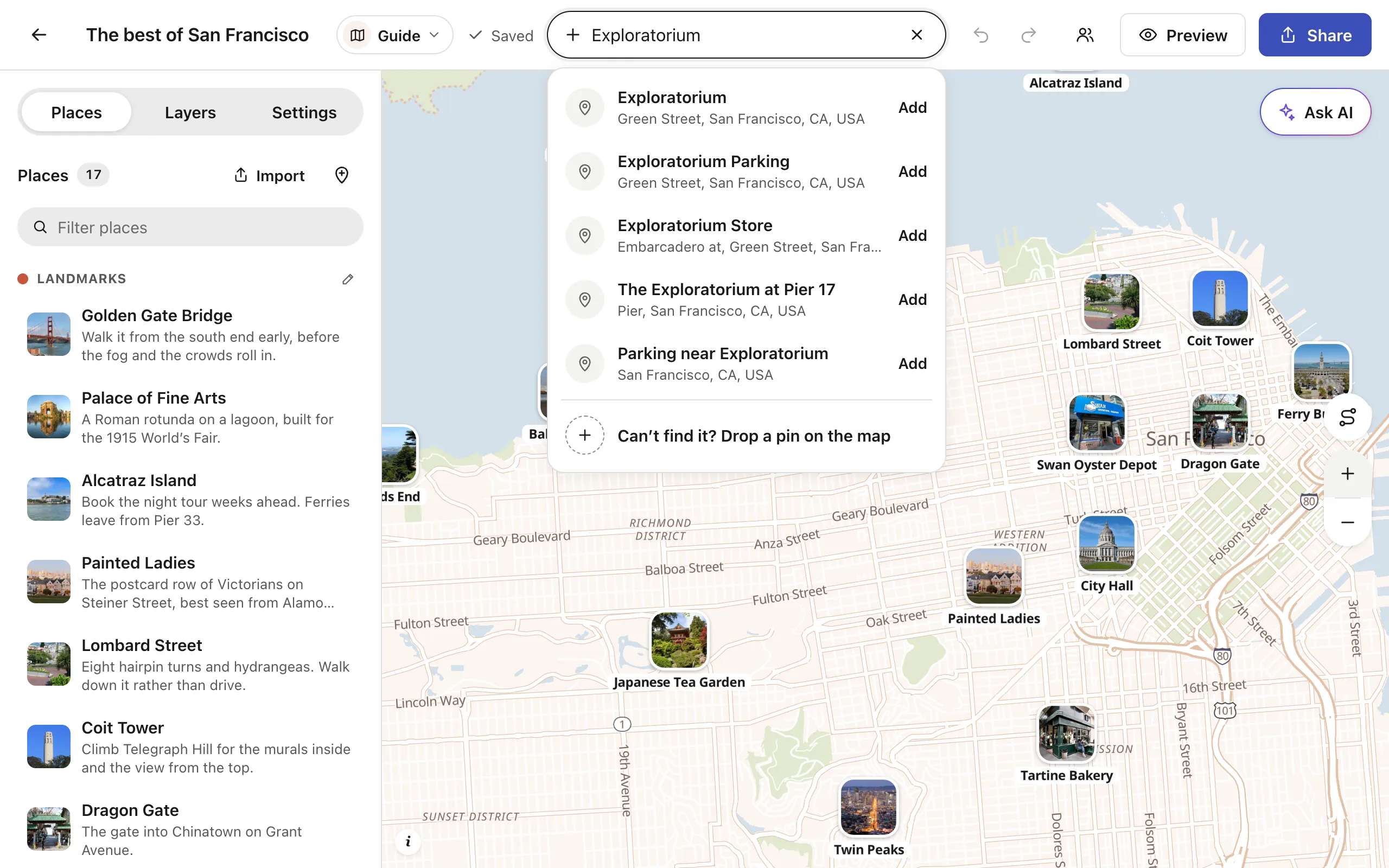
Clutter-Free Editor
A clean workspace focused on pins, descriptions, and sharing, instead of complicated vector tools.
Need a map, not a cartography degree? Create Mappins gives you a streamlined, modern workspace, custom markers, and ad-free, watermark-free embeds.
No watermarksClean embedsNo credit card required
A clean workspace focused on pins, descriptions, and sharing, instead of complicated vector tools.
Embed maps on your website without giant branding overlays. Free maps stay clean and presentable.
No heavy drawing engines. Lightweight Mapbox integration loads maps quickly on all client browsers.
Compare page clutter, advertising, watermarks, and mapping simplicity.
| Feature |  Create Mappins | Scribble Maps |
|---|---|---|
Usability & Design | ||
| Clean, Streamlined Workspace | Yes (Optimized for pins & sharing) | No (Complex drawing interface) |
| Watermarks on free embeds | None | Scribble Maps branding stamp |
| Advertisements on free tier | No ads | Banner advertisements |
| Custom Base Map Styles | 10+ Premium (Pro) | Google / custom styles |
Features & Pricing | ||
| Pricing (Basic Pro plan) | $20/month | $19/month (Basic) / $49/month (Pro) |
| CSV/Excel import | Yes (Pro) | Yes (Paid plans only) |
| Pin clustering | Yes (Pro) | Yes (Paid plans only) |
Get clean, permanent public sharing links. Your clients or team can access your maps immediately without needing any logins or encountering promotional ads.
Adding, styling, and grouping your pins is done in a simplified side menu. No complex toolbox overlay or floating toolbar panels blocking your view.
Choose from 500+ vector-drawn icons on the Pro tier ($20/mo) to match specific locations, industries, and categories. All markers look crisp on high-res Retina displays.
I needed a way to show listings by neighborhood. This did the job. Setup was straightforward, maybe 10 minutes.
Send us a message and we'll respond as soon as possible.
Contact Our TeamScribble Maps is built as a complex GIS and drawing tool with a cluttered interface. Create Mappins focuses purely on location mapping, offering a clean workspace, no ads, no watermarks on free maps, and easy sharing.
No. Unlike Scribble Maps, Create Mappins keeps embedded maps clean and free of watermarks or advertising banners, even on the free plan.
Yes. Export your locations from Scribble Maps as a CSV or Excel file and import them directly into Create Mappins in under a minute.
Create Mappins is the best simple Scribble Maps alternative for users who want to drop pins, customize markers, and share maps without learning GIS tools.
Yes. Create Mappins supports drawing regions and routes, but keeps the interface focused on pins and locations so it stays easy to use.
Yes. You can upload images to individual pins and add photo galleries to map locations on Pro plans.
Yes. Create up to 3 maps with 20 pins each for free. Upgrade to Pro for unlimited maps, pins, and advanced features.
Yes. Embedded maps are watermark-free and ad-free on all plans, making them ideal for professional websites.
Start building custom maps with Create Mappins today. Try our Free Forever plan and map your first locations in seconds.
Free forever plan3 maps includedNo credit card requiredModern editor